Environment Management
Using Axinom Portal, you can manage your environments under My Mosaic / Environments.
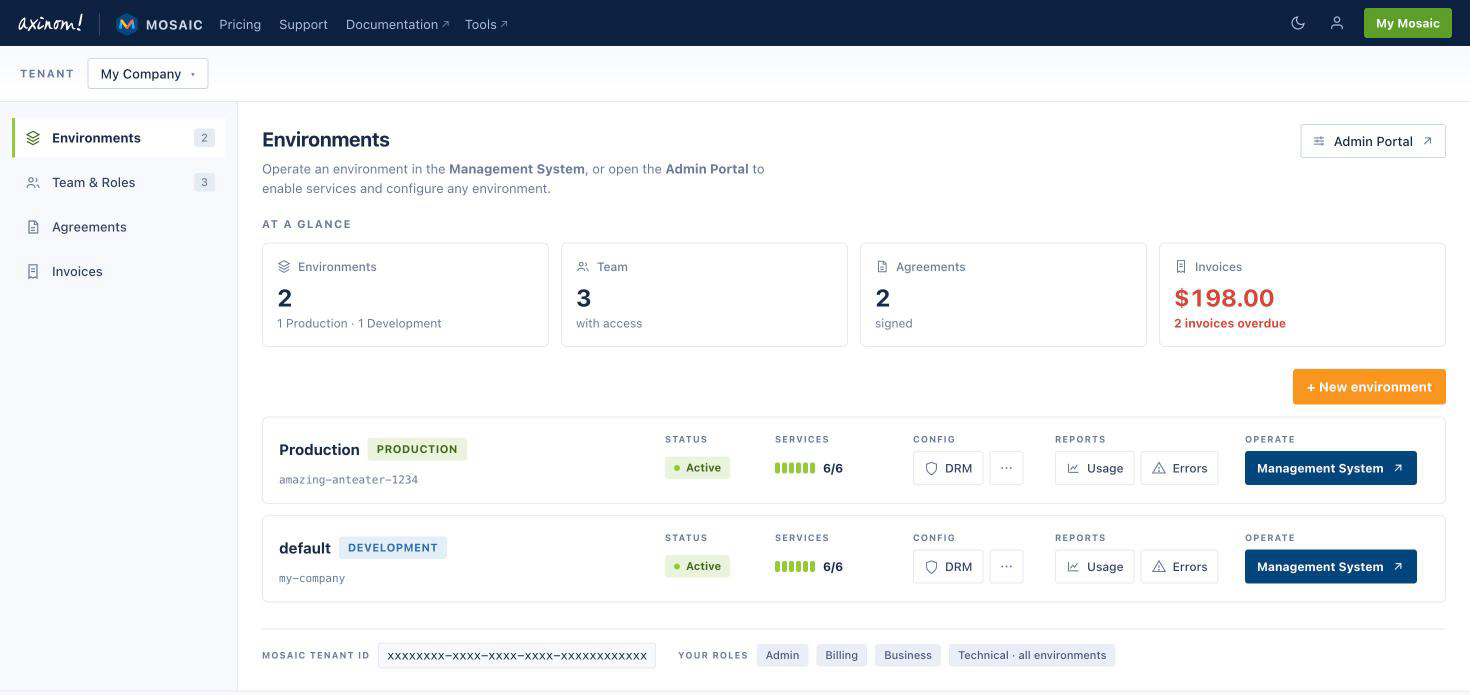
Each environment card shows the environment type and status, the number of enabled services, and offers quick access to:
- DRM configuration
- Usage reports and error logs
- The Management System of the environment
Creating a new environment
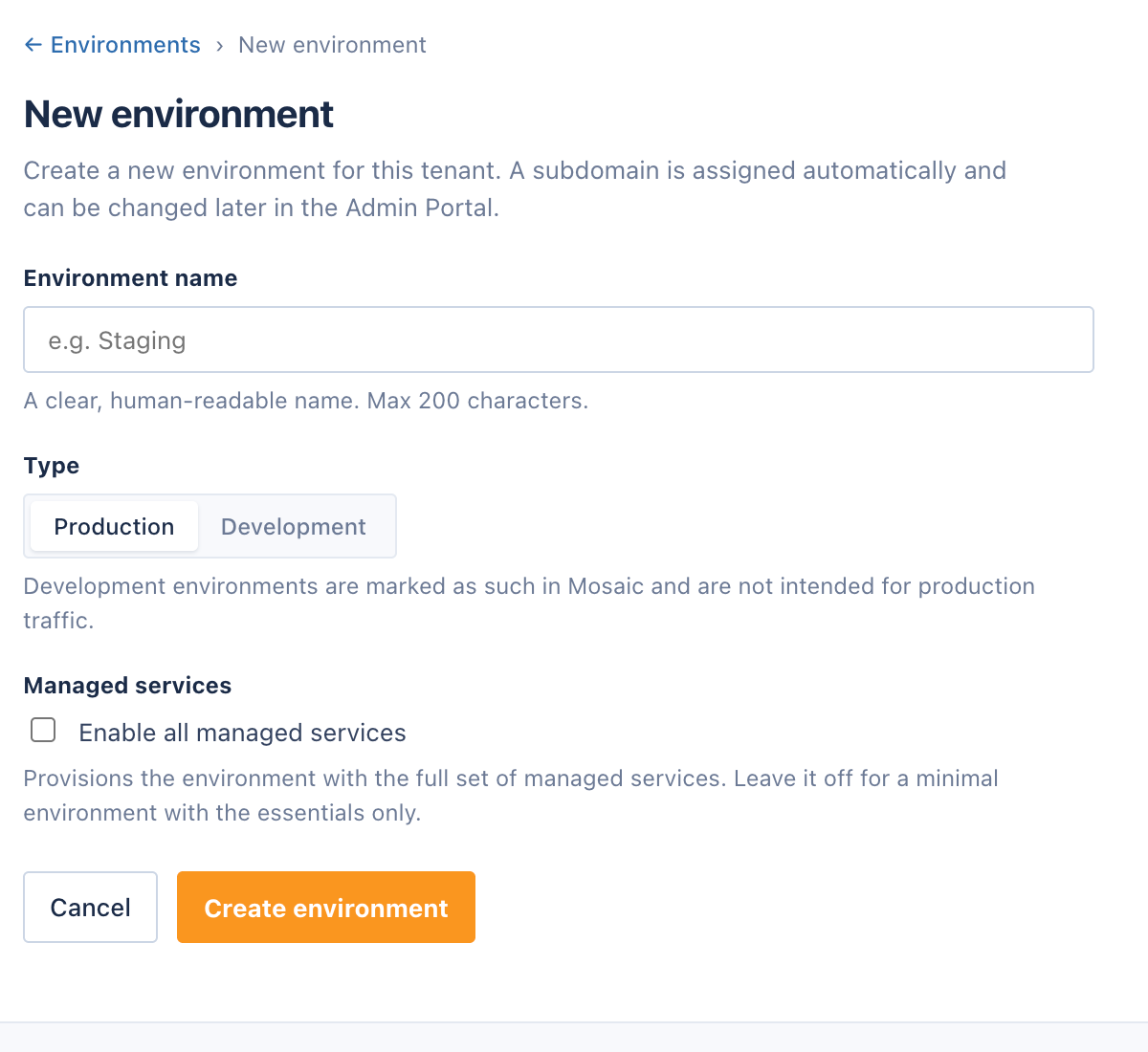
Click + New environment to create a new environment.
Give your environment a clear name and select a type: Production or Development. Development environments are marked as such in Mosaic and are not intended for production traffic. A subdomain is assigned automatically and can be changed later in the Admin Portal.
You can optionally enable all managed services to provision the environment with the full set of managed services. Leave the option off for a minimal environment with only the essential services.
Caution: During a free trial you cannot create more than two environments.
Environment administration
Deeper administration happens in the Mosaic Admin Portal. Click the Admin Portal button on the Environments page to open it. There you can:
- Review environment information
- Modify important environment properties (such as the name or the subdomain for your Management System)
- Enable or disable individual services
- Manage service accounts and view service logs
- Delete an environment
Caution: User role "Admin" is a prerequisite for creating and deleting environments and for accessing the Mosaic Admin Portal. Users with the "Technical" role can see their assigned environments and their details, but can't create or delete environments. See User Roles for more information.