Find your credentials for a legacy agreement
This article is a part of the DRM How-to Guides.
Not every Axinom DRM customer manages credentials in the Mosaic environment. If your agreement predates the Mosaic DRM Service, your configuration lives in the Axinom Portal instead, and you also received it as a PDF.
Not sure which applies to you? Open the Management System of your environment and look for DRM Service under Admin Settings. If it is there, follow Find your DRM credentials instead. If it is not, you have a legacy agreement and this article is for you.
The Portal shows a DRM configuration page for every environment, including Mosaic ones. For a Mosaic environment that page is read-only and points you to the Management System; the Reveal buttons on it only apply to legacy agreements.
The configuration PDF
When your DRM credentials were first issued, Axinom provided a configuration document named axinom-drm-configuration.pdf.
It contains the complete configuration, including the values that the Portal never stores:
- License Service and Key Service Tenant IDs
- the Management Key for each service
- Communication Key and Communication Key ID
- Key Seed and Key Seed ID
- the service endpoint URLs
The PDF is the only copy of some of these secrets. Keep it somewhere safe, and do not share it more widely than necessary.
The DRM configuration page in the Portal
You can also review your configuration in the Axinom Portal.
Go to My Mosaic, find the environment you are interested in, and select DRM under CONFIG.
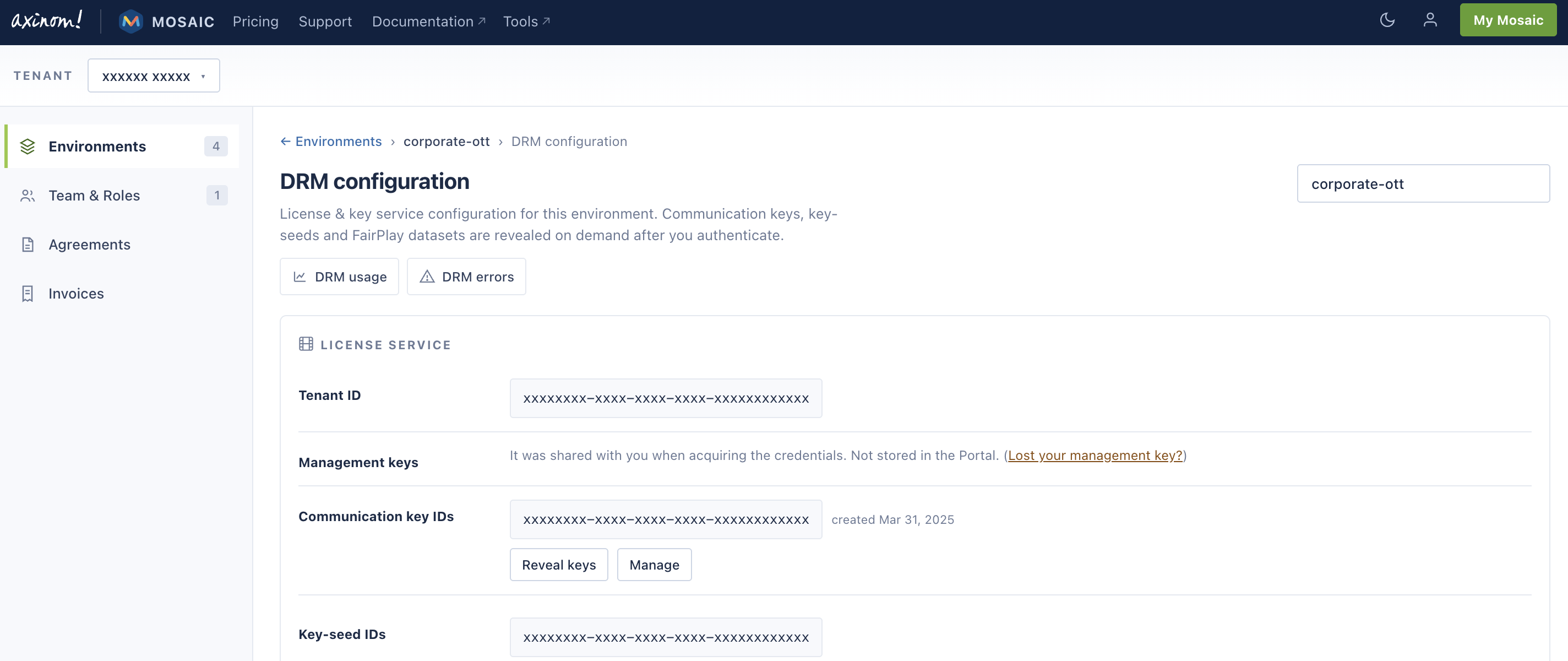
The page is organised into a License Service and a Key Service section, each listing:
| Item | What it is |
|---|---|
| Tenant ID | Identifies your DRM tenant. Used together with the management key for API access. |
| Management keys | Not shown. Axinom stores only a hash, so the Portal cannot display the value. |
| Communication key IDs | The IDs of your communication keys, with the date each was created. |
| Key-seed IDs | The IDs of your key seeds. |
| Endpoints | The License Service and Key Service URLs for your tenant. |
The Key Service section additionally lists your Widevine credentials and the whitelisted CPIX export certificates.
Revealing secret values
Key IDs are shown directly, but the key values themselves are not.
Use Reveal keys or Reveal seeds and supply the management key for that service.
The License Service and the Key Service each have their own management key. Do not use the License Service management key for the Key Service.
The Portal does not store your management key. When you reveal a value, the Portal contacts the Axinom DRM service directly with the key you enter, and neither the key nor the revealed value is retained.
Lost your management key?
Axinom stores only a hash of the management key, so a lost key cannot be recovered. It can, however, be reset through a support request.
Read: Reset Management Key
Moving to the Mosaic DRM Service
Newer environments manage all of this from the Management System, under Admin Settings / DRM Service, where communication keys and key seeds can be viewed and generated without a management key.
If you would like to move your configuration to a Mosaic environment, contact Axinom Support.
Next steps
See also
- Find your DRM credentials - the equivalent page for Mosaic environments
- Reset Management Key
- License Service Management API
- Key Service Management API