Play an existing DRM-protected video
This article is a part of the DRM How-to Guides.
Let’s start "at the end" and check how to play a DRM-protected video (after all, this is what we want to accomplish). Axinom DRM Video Playback Tool makes it very easy and understandable.
If you don’t have any DRM-protected video yet, it’s not a problem. In the tool just pick one of the test vectors published by Axinom.
A "test vector" is simply a video, protected with known parameters and published for test purpose.
Select one of the test vectors
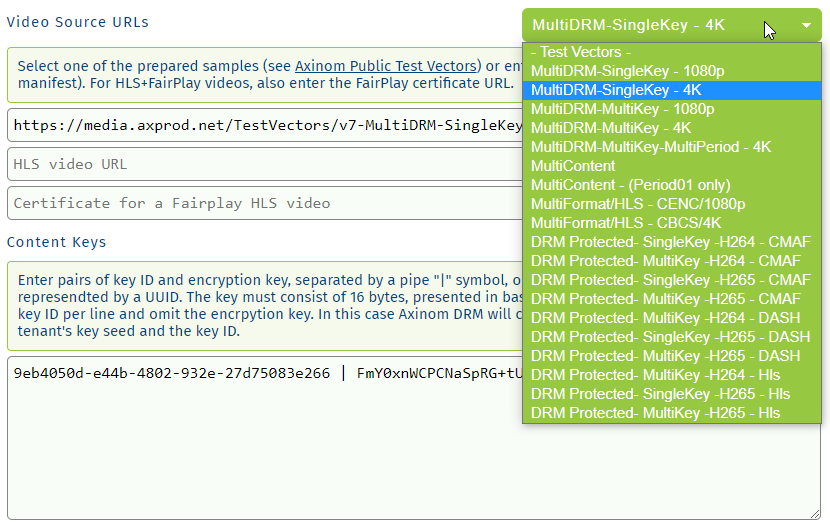
Later, when you have protected your own videos, you can use the same playback tool with the URL of your video.
The tool will create a necessary entitlement message and a license service message on its own. The tool knows the key/keyId used to encrypt the video, because we have test vectors here.
An Entitlement Message is a JSON data structure that instructs Axinom DRM License Service to issue a DRM license and sets various license parameters, such as duration or security requirements.
Axinom DRM License Service Message is a JSON data structure designed to deliver data to and from the Axinom DRM License Service. Axinom DRM License Service Message is used to encapsulate inner messages defined in the context of Axinom DRM, such as Entitlement Message and License Request Info Message. An Axinom DRM License Service Message is packaged into a signed JSON Web Token (JWT) before delivery.
You only need to provide your Communication Key ID and Communication Key to produce a signed JWT. You find both in your Mosaic environment, under Admin Settings / DRM Service / Communication Key, as described in Find your DRM credentials. If you don't have an environment yet, start a free trial.
If you have a legacy agreement, your environment has no DRM Service page. You find the same values in the Axinom Portal and in your configuration PDF instead, as described in Legacy agreement credentials.
Enter the URL of a license service (keep the defaults or take them from your DRM configuration).
Pick one of the suggested players and you are ready to play the video. For every player, the tool will call a demo-page where the respective player is integrated and will pass the following:
- URL of a protected video
- License Service URL
- JWT containing an entitlement message.
If you would like to integrate Axinom DRM to your video player, check Integrate a video player.