Play your protected video
This article is a part of the DRM Quick Start guide.
Once encoding finishes, the video is ready to play.
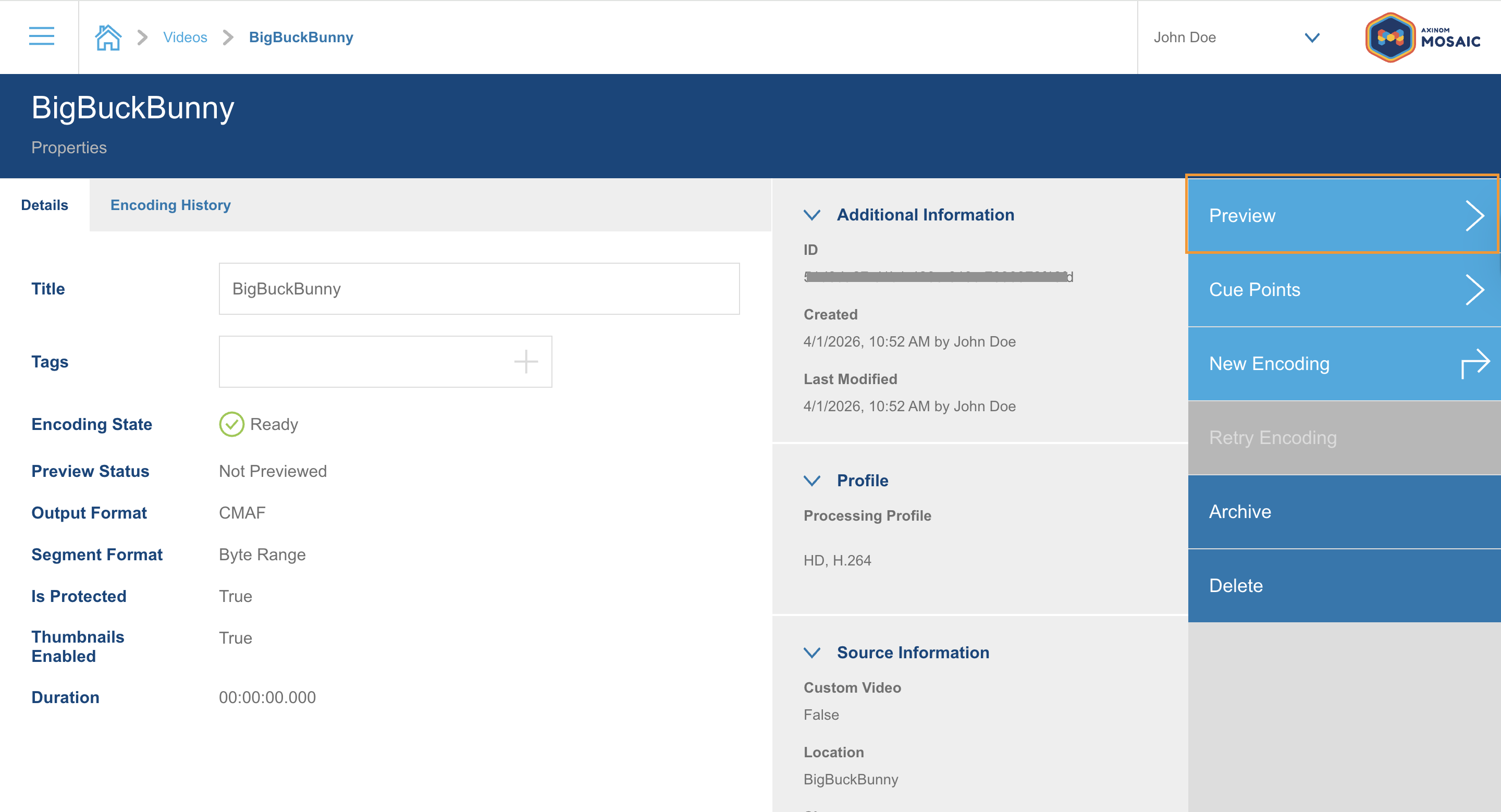
Open the preview
Open your video and go to the Preview tab.
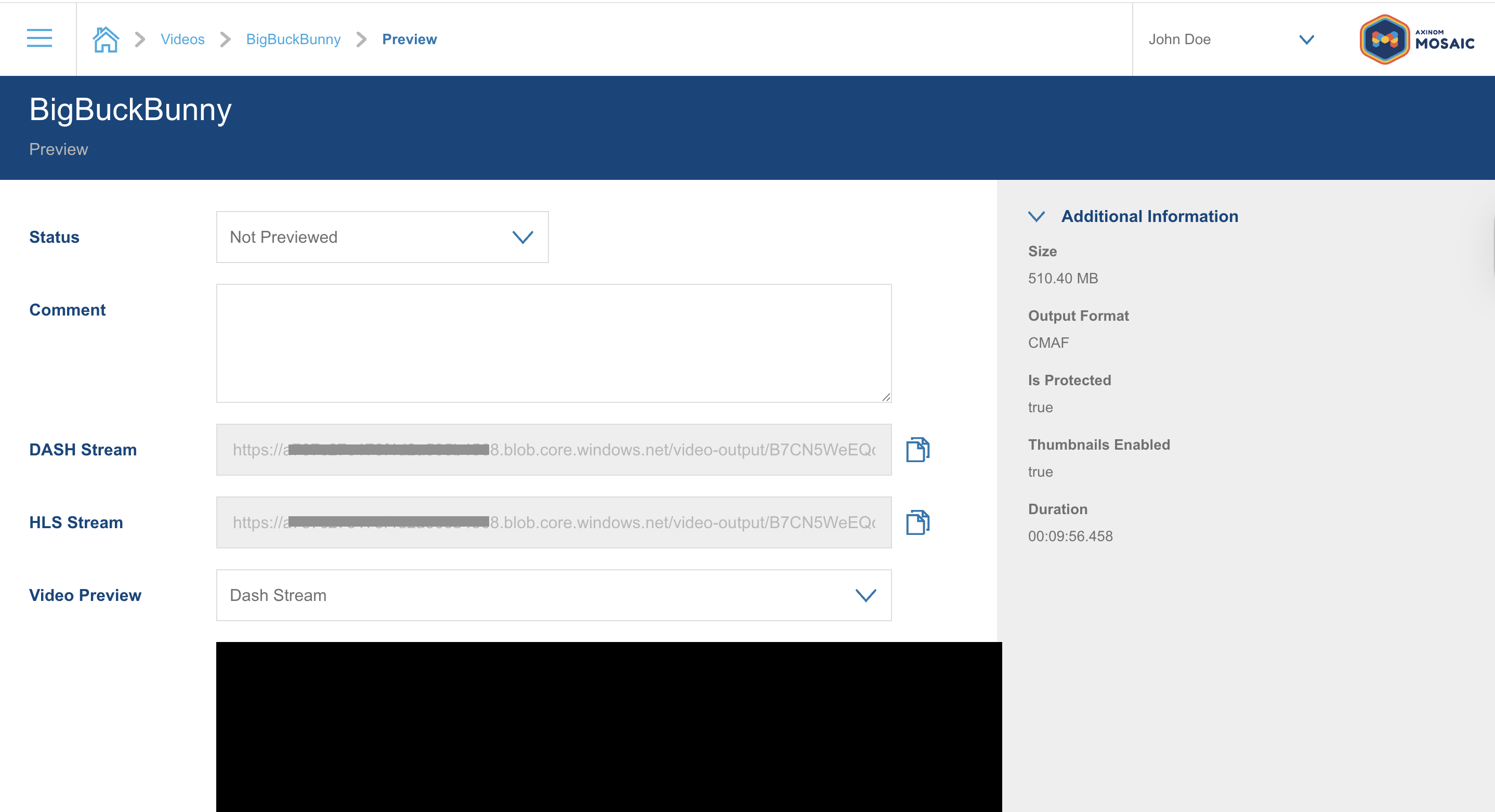
Confirm that it is protected
Look at Additional Information on the right.
Is Protected reads true, which confirms that DRM protection was applied during encoding.
The page also gives you the DASH Stream and HLS Stream URLs, each with a copy button. These are the URLs you would hand to your own player later.
Play it
Select a stream under Video Preview and click play.
Choose Dash Stream for Widevine and PlayReady playback, and HLS Stream for FairPlay on Apple devices.
The video plays. Behind that, in the moment you pressed play:
- The player read the key ID from the stream manifest.
- It sent a license request to the Axinom DRM License Service.
- The License Service reconstructed the content key from your key seed and issued a license.
- The player decrypted the video and started playback.
That is a complete DRM round trip, and you did not write a line of code.
If playback does not start, the browser may not support the DRM system of the stream you picked. Safari plays HLS with FairPlay, while Chrome, Edge, and Firefox play DASH with Widevine or PlayReady. See Troubleshooting if the problem persists.
What's next?
You have protected and played your first video. Congratulations!
From here you can go in a few directions:
- Integrate your own player. Point it at the License Service URL from your DRM credentials and pass a signed token with the entitlement message. See Video Players for player-specific instructions.
- Control what a license allows. Set playback duration, security levels, and output protection through the Entitlement Message.
- Use your own content. Upload your own source video and encode it with the same DRM-enabled profile.
- Use a third-party encoder. Axinom DRM works with any encoder that follows the Widevine, PlayReady, and FairPlay standards. The DRM-only path of this Quick Start shows how to get content keys for your own packager.
- Understand the concepts. Read What is DRM? and the DRM Service Overview.
Should you have further questions, contact our support.